
Tutorials
Learn how to set up and get the most out of Universal Translator
Setting Up the Translation Bot
Get your channel ready for automatic translations in just a few minutes.
Connect Your Twitch Account
Click "Login with Twitch" on the top right of the page. You will be redirected to Twitch to authorize Universal Translator. We only request the permissions we need to read your chat and send translations back.
Add Your Channel
After logging in, go to your Settings page. Here you can add your Twitch channel so the bot can join your chat. Once added, the bot will automatically connect to your channel and start listening for messages.
Choose Your Language
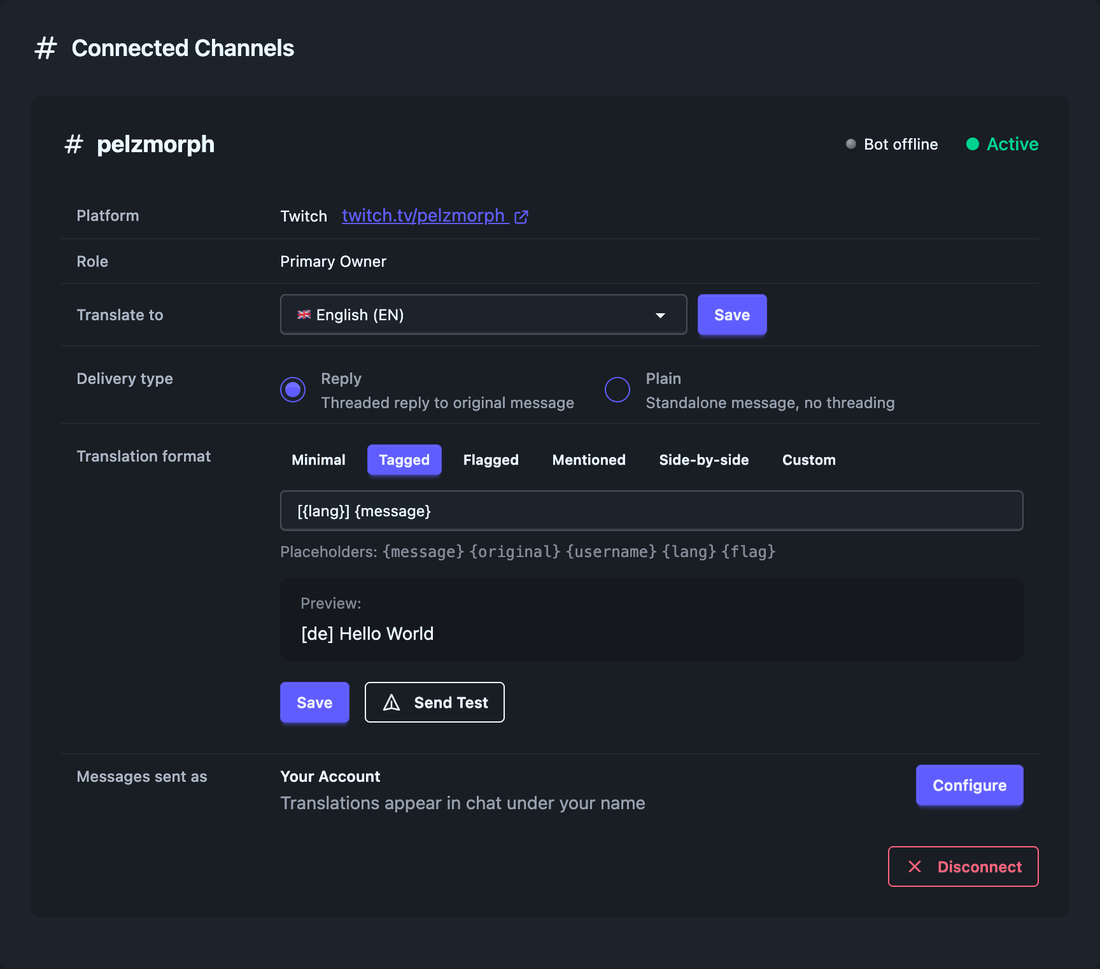
In the Settings page, select the language you want messages translated into. This is typically the language you and most of your audience speak. Any chat message that is not in this language will be automatically translated.
Translations Start Automatically
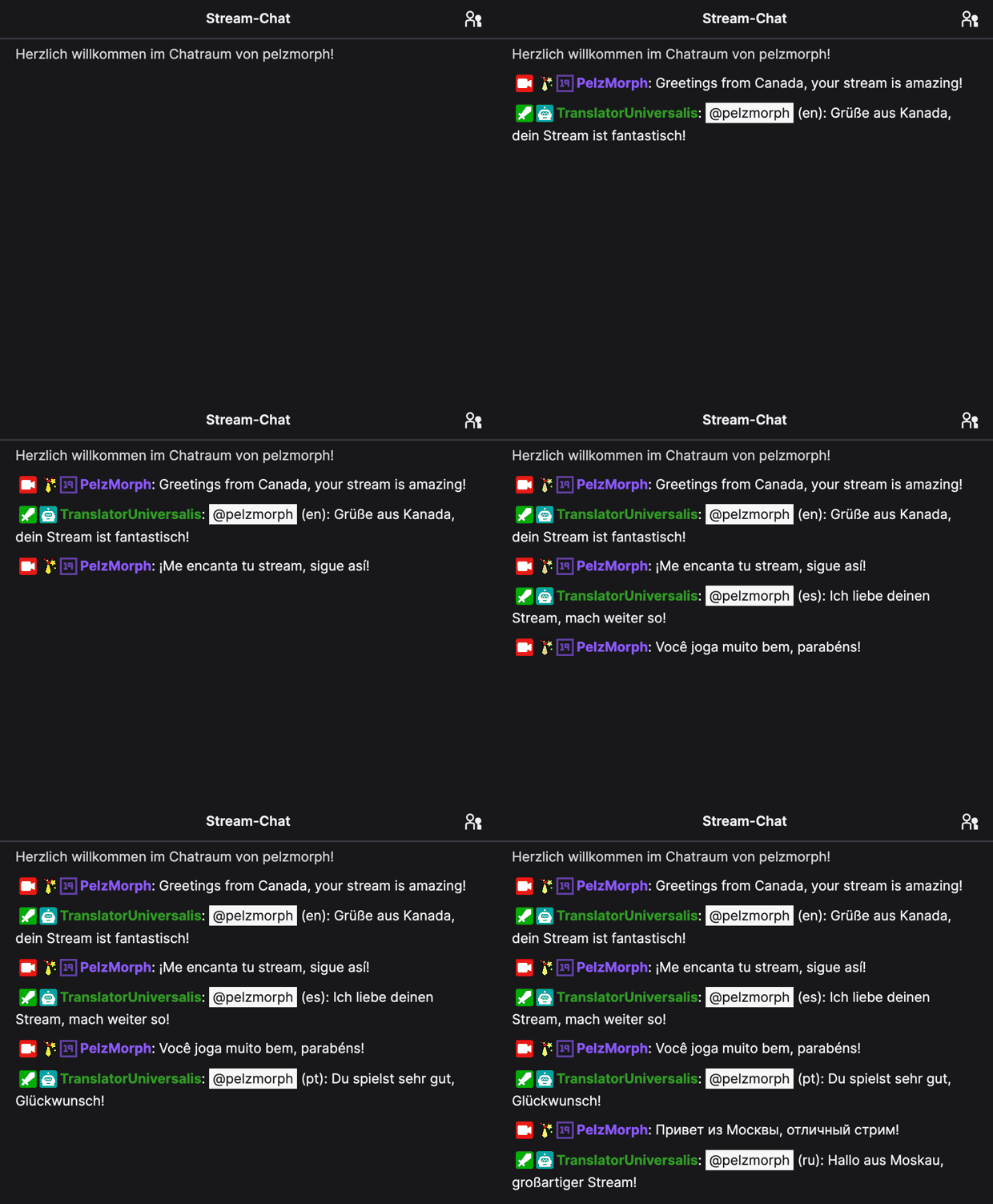
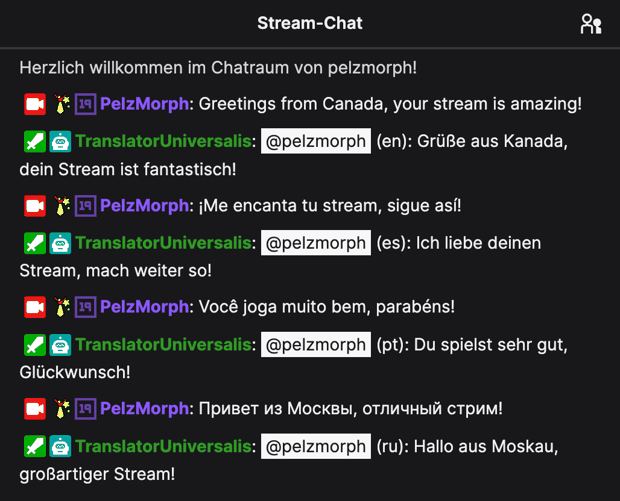
That's it! The bot is now active in your channel. When a viewer sends a message in a different language, it will be detected and translated automatically. You can view all translations in real-time on the Live Translations page in your dashboard.
 Real Twitch chat
Optional power-ups
You are already translating — these add extra polish whenever you want it.
Connect Your Own Bot Account (Optional)
Prefer translations to come from a dedicated bot identity instead of our default bot or your main account? Open Settings, click "Connect bot account", and copy the one-time link you get. Open that link in an incognito window or in any browser where you are signed in to the bot account on Twitch, and authorize the connection. The bot account is then yours and shows up as a sender option on every channel you own. You can disconnect it again at any time.
Add the Twitch Extension
For the best experience, add the Universal Translator Twitch extension to your channel. It gives you a streamer panel that collects VIP, moderator, and translated messages in one place — plus a viewer panel showing the most popular languages in your chat. The extension connects to your account automatically, no extra configuration needed.
Important Tips
Make the Bot a Moderator
We strongly recommend making the translation bot a moderator in your channel. This prevents the bot from being accidentally caught by AutoMod, slow mode, or other chat restrictions. It also ensures that translations are delivered without delay.
/mod TranslatorUniversalis
Type this command in your Twitch chat to give the bot moderator status. The bot does not use any moderator powers — it only needs the role to bypass chat restrictions.
Use the Live Translations View
The Live Translations page shows all translated messages in real-time. You can use this as an overlay or keep it open on a second monitor while streaming to always see what your international viewers are saying.
Start with the Free Plan
You can try Universal Translator completely free. The free plan gives you enough translations to test the service and see how it works with your channel. No credit card required. You can upgrade anytime if you need more.
 Live on your stream

Run a Giveaway on Stream
Reward your community with a giveaway — entrants wander across your stream on a themed overlay while it runs, and a random viewer wins.
Create a Giveaway
Open Giveaways in your dashboard and add a reward — give it a title and an entry command that viewers type to join. You can queue several at once and start them whenever you like.
Example entry command:
!win
Add the Overlay to OBS
Open the Overlays page, copy your Browser Source URL, and add it as a Browser Source in OBS at 1920×1080. Then pick a theme — people, ships, or pets — and choose whether to show the scenery and the entry-command banner.
Start It — and Watch Them Arrive
Start the giveaway from your dashboard, or let your mods start it with a chat command. As viewers type your entry command, they pop onto the overlay and wander your scene in real time.
Draw a Winner
When you are ready, draw a winner from the dashboard. The winner is announced in your chat, and the crowd walks off the overlay until your next round.
Test It Before You Go Live
Not streaming yet? On the Overlays page, hit "Start 2-minute test" to preview the overlay in OBS with fake entrants — no real giveaway needed.
Ready to Get Started?
Set up Universal Translator on your channel and start connecting with your global audience
Start Translating My Chat